Showing posts with label VSAM Open Return Code. Show all posts

Sunday, 21 April 2019

When to use which VSAM data set (i.e. EDS, KSDS, RRDS, LDS, ESDS) ?

VSAM dataset
Not sure when to use which data set. 

Being a programmer I have faced situations where you are not sure which VSAM data set is suitable for business applications.

In fact, as per my experience, there is the various factor that a programmer/designer should consider before finalizing data set which should be used for storing data.    

In this tutorial, I have tried to compile key points that might help you in taking a decision.

Use KSDS if:
  1. The data access is sequential, skip sequential, or direct access by a key field
  2.  You would prefer easy programming for direct data processing
  3.  There will be many record insertions, deletions, and logical record length varies
  4.  You may optionally access records by an alternate index
  5.  Complex recovery (due to index and data components) is not a problem
  6.  You want to use data compression.

Use RRDS if:
  1. The record processing is sequential, skip sequential, or direct processing.
  2. Easy programming for direct processing is not a requirement.
  3. The argument for accessing data in direct mode is a relative record number, not the contents of a data field (key). RRDS is suitable for the type of logical records identified by a continuous and dense pattern of numbers (such as 1,2,3,4...).
  4. All records are fixed length.
  5. There are a small number of record insertions and deletions, and all the space for insertions must be pre-allocated in advance.
  6. Performance is an issue. RRDS performance is better than KSDS but worse than QSAM or BSAM.

Use ESDS if:
  1. You are adding logical records only at the end of the data set and reading them sequentially (in the application control)
  2.  The logical record is variable length
  3.  You seldom need direct record processing by key (using AIX)
  4.  You are using a batch processing application.

Use LDS if:
  1.  You want to exploit DIV
  2.  Your application manages logical records
  3.  Performance is an issue.

A Summary Of The Characteristics Of VSAM Data Set Types | Comparing VSAM Data Set Organizations.


VSAM comparison
Characteristics Of VSAM Data Set Types
I hope you have gone through my previous tutorial regarding VSAM terminology and concept. As you are already aware that there are 4 types of VSAM cluster/data sets i.e. KSDS, ESDS, LDS, RRDS.

In this tutorial, I have tried to compare the characteristics of the VSAM data set  (i.e. ESDS, KSDS, RRDS, VRRDS).

This comparison of the VSAM data set organization would help you to understand the difference of each cluster.

The table provides a summary of the characteristics of VSAM data set types. 


ESDS

KSDS

Fixed-length RRDS

Variable-length RRDS

Linear data sets

Records are in the same order as they are entered

Records are in collating sequence by key field after load

Records are in relative record number order

Records are in relative record number order

No processing at a record level

Records can be fixed or variable length

Records can be fixed or variable length

Records are fixed length

Records are variable length

No processing at a record level

Direct access by RBA

Direct access by key or by RBA

Direct access by relative record number

Direct access by relative record number

Access with Data-In-Virtual (DIV) optionally

Consist of a data component only

Consist of data and index components

Consist of a data component only

Consist of data and index components

Consist of a data component only

Alternate index allowed

Alternate indexes allowed

No alternate index allowed

No alternate index allowed

No alternate index allowed

A record’s RBA cannot change

A record’s RBA can change

A record’s relative record number cannot change

A record’s relative record number cannot change

No processing at a record level

Space at the end of the data set is used for adding records

Free space is used for inserting and lengthening records

Empty slots in the data set are used for adding records

Free space is used for inserting and lengthening records

No processing at a record level

A record cannot be deleted, but you can reuse its space for a record of the same length

Space that is given up by a deleted or shortened record becomes free space

A slot that is given up by a deleted record can be reused

Space that is given up by a deleted or shortened record becomes free space

No processing at a record level

Spanned records allowed

Spanned records allowed

No spanned records

No spanned records

No spanned records

Extended format allowed

Extended format or compression allowed

Extended format allowed

Extended format allowed

Extended format allowed

Friday, 12 April 2019

How to define VSAM CLUSTER / VSAM File? | Command to define VSAM Database.

Virtual Storage Access Method.
To create a VSAM dataset/ VSAM file you need to use AMS (i.e. Access Method Service). 

Most of the ASM commands are used very often and almost every mainframe application programmer remember these commands.
  
As you can see, these include commands for defining all three types of VSAM datasets / Clusters, for defining and building alternate indexes for key-sequenced data sets, and for listing catalog information. 

However, there are basically two ways of defining a cluster i.e. maybe you can use JCL or ISPF panel. 

Access Method Service
ISPF panel to define VSAM cluster.


The DEFINE CLUSTER command is used to define a KSDS, ESDS, or RRDS. 

Please note that parameters at the CLUSTER level apply to the entire cluster and parameters at the DATA or INDEX level apply only to the data or index component. 


Wednesday, 10 April 2019

VSAM - Virtual Storage Access Method Concepts.

VSAM Concept
Virtual Storage Access Method which is popularly known as VSAM. VSAM is one of several access methods in z/OS. It applies only to data stored on direct access storage devices (DASDs). 

VSAM access method is used for indexed files on an IBM mainframe. It was introduced by IBM in the 1970s. This access method makes it easier for an application to run an I/O operation (moving data between an I/O device and memory)

It is a high-performance access method used to organize data in the form of files in Mainframes.

The word virtual means only that VSAM was introduced at approximately the same time as the initial IBM virtual storage operating systems OS/VS1 and OS/VS2. Since then VSAM has been continually improved and enhanced.

It provides a catalog facility that can be used for both VSAM and non-VSAM files. And it provides a multi-function utility program called Access Method Services (AMS) that lets you perform a variety of functions for VSAM as well as non-VSAM files.


VSAM
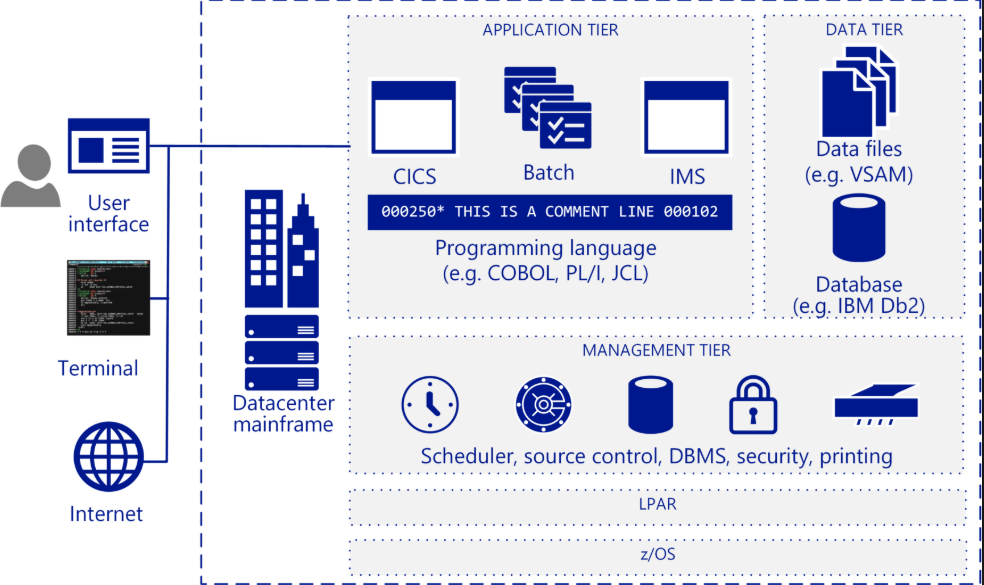
IBM Mainframe Architecture.


Type of Data set:


VSAM data sets are broadly categorized into 4 categories.
  1. ESDS: Entry-sequenced data set (ESDS), the records are stored one after the other in consecutive disk locations. On other platforms, this is called a sequential file.To retrieve records from a sequential file, you must read them sequentially by disk location. This type of record retrieval is referred to as sequential access.
  2. KSDS: A key-sequenced data set (KSDS) consists of two parts: an index component and a data component. Within the index component, each entry contains a key field value that points either to a lower-level index or to a record in the data component of the file. On other platforms, this type of data set is called an indexed file.
  3. RRDS: A relative-record data set (RRDS) consists of record areas that can contain one record. Each of these areas is identified by a relative record number that indicates its relative position in the file. On other platforms, this type of data set is called a relative file.
  4. LDS: A Linear data set (LDS) contains data that has no record boundaries. Linear data sets contain none of the control information that other VSAM data sets do. Linear data sets must be cataloged in an integrated catalog facility catalog.
Salient Feature: 
  • The retrieval of records is faster because of an efficiently organized index. The  index is small because of key compression algorithm used to store and retrieve records
  • Embedded free space makes the insertion of records easy  and  therefore requires less reorganization
  • The deletion of records means that they are physically deleted thus allowing the reclaiming of free space within data sets
  • Records can be accessed randomly by key or address  and can also be accessed sequentially at the same time
  • VSAM data sets can be shared across partitions, regions, address space and systems. The type and level of sharing can be controlled thru AMS and JCL
  • VSAM provides data security thru passwords protection of data sets at various levels like reading an update.
  • VSAM provides the ability to physically distribute datasets over various volumes based on key ranges.
  • VSAM data sets are device  independent

Drawbacks:
  • Free spaces, hence more disk space
  • The integrity of VSAM data sets in cross systems and cross regions sharing   must be controlled by the User.


Have a look of Top 20 Interview Questions for VSAM (Virtual Storage Access Method)..

Sunday, 4 August 2013

VSAM IDCAMS Program – One Stop Shopping For All Functions!

AMS
VSAM IDCAMS Tutorial
VSAM (Virtual Storage Access Method) is a data management system introduced by IBM in the 1970s as part of the OS/VS1 and OS/VS2 operating systems.

It is an high performance access method used in IBM mainframe OS.

Access Method Service is a service program that helps in allocating, maintaining deleting catalogs and data sets.

IDCAMS is only a single utility for managing all of the housekeeping needs of VSAM. In-fact it is right to say that IDCAMS is a one single stop for all function!


IDCAMS
IDCAMS - Basic Access Method Services Functions

  • VSAM objects may only be created by using the utility Access Method Services - One group of commands create VSAM definitions via the “DEFINE” 
  • The term defining  means creating an entry in the z/OS Catalog without data transfer
  • The contents of an object can be loaded via IDCAMS or a user program.
  • The IDCAMS program provides all functions to manipulate VSAM Objects.

Basic Access Method Services Functions

ALTERChanges attributes in the VSAM Catalog for previously defined VSAM objects.
BLDINDEXSorts and loads pointer (alternate key) information into a newly defined alternate index.
DEFINEDefines VSAM objects, such as catalogs, clusters, non-VSAM and other data structures.
DELETEPurges VSAM and other data structures from catalog
DIAGNOSEChecks entries in a BCS and/or VVDS for validity and consistency.
EXPORTCopies a VSAM data-set with related catalog information to a sequential data set.
IMPORTImports and reorganizes a VSAM data set which was previously exported by EXPORT.
LISTCATLists VSAM catalog information
PRINTPrints contents of VSAM data-sets and non-VSAM
REPROLoads, copies, converts, merges, reorganizes data sets and catalogs
VERIFYUpdates catalog high-used RBA information for a VSAM data-set which was not closed in a normal way.

VSAM Control Interval


Control Interval Control Interval in VSAM is a unit of data that is transferred when an I/O request is made between auxiliary storage and virtual storage.

It contains records, free space and controls information. The data records are grouped into control intervals.

That is in other words in the non-VSAM method the unit of data that is transferred between memory and the storage device is defined by the block which in contrast in VSAM is referred to as Control Interval.

The records in the Control Interval are all placed at the beginning of the Control Interval with the key of each record followed by the actual record.

The end portion of the Control Interval is occupied by control interval descriptor this also has space for specifying the record length of each record in the Control Interval.

The space between this beginning part which is occupied by records and the end part of the control interval which has descriptor followed by the length of record denotes the free space.

This is shown diagrammatically below:

Key 1Record 1
Key 2Record 2
Key 3Record 3

Free Space

Length of Record 1
Length of Record 2
Length of Record 3

Descriptor (End Part of control interval)

The Control information also called as CI in short consists of the following information:
  • RDF called as Record Descriptor Field.
  • CIDF called as Control Interval Descriptor Field.
The maximum size that is allowed for a Control Interval is 32K. Let us now see the information stored on the above RDF and CIDF.

A CIDF is present for each Control Interval. The CIDF is a field which has the last 4 bytes of a Control Interval. This has information about the offset and the length of free space in the Control Interval. Having seen about the information in CIDF let us now see the information present in RDF.

If the records are of fixed size then each Control Interval has two RDF's with each RDF of length 3 bytes. If the records are of variable size then a separate RDF is available for each record in the

Control Interval.

The Control Interval in VSAM is created as soon as VSAM dataset is loaded after which records are placed inside it. Having got an idea about Control Interval in VSAM from above explanation and idea about KSDS clusters, RRDS clusters and ESDS clusters from our previous section let us now see how the records are filled in the control interval by each of these different clusters.

 In case of Entry Sequenced Data Set clusters also called as ESDS clusters which follows sequential data set, records are fully placed in a control interval and only after completing this control interval say the current control interval, the records are written into the next control interval in sequence.

In case of Key Sequenced Data Set clusters also called as KSDS which has room for free space as we have seen in our previous section the records are placed in a control interval but not with a condition that it is fully filled which means that some amount of free space is provided for future additions.
In the case of Relative Record Data Set clusters, the control interval is filled with records of fixed length which can be two types say either an active record or a dummy record. The active record refers to the original record and the dummy record helps in providing space for future record added to the dataset as and when needed.

Control Areas

A group of control intervals makes up a control area. Since the control intervals are grouped to form a control area the way of filling the control area is similar to the way of filling records in the control interval as discussed in detail in our previous paragraph.

The number of control intervals per control area depends on how much space is reserved when the dataset is created. This is shown diagrammatically below:

Control Area 1 
 Control interval A 
 Control interval B 
 Control interval C 
 Control interval D

 Control Area 2 
 Control interval F 
 Control interval G 

Attributes in the index component have the following attributes as given below:
  • Index Set.  
  • Sequence Set.  
The index set lists the largest index within each control area and the sequence set lists the largest index within each control interval. The records get allocated in the Control Interval and Control area in the following manner:
  • Check for enough free space within a control interval is made and if such a space is present when the new records get added in that position.
  • If the Check for enough free space within a control interval returns no enough free space within a control interval then a check for the presence of empty control interval within the same control area is made and if such an empty control interval within the same control area occurs the control interval split is made with the record from the control interval which is filled with records being moved to the empty control interval space.
If in case of Check for enough free space within a control interval returns no enough free space within a control interval and also there is no empty control interval within the same control area then control area split is made and records get moved to the new control area.


Created with Artisteer

New In-feed ads