Showing posts with label cics all interview. Show all posts

Sunday, 4 August 2013

JCL Tutorial: JCL Procedure | Instream Procedures | Catalog Procedure in JCL [Procedure in JCL].

INSTREAM PROCEDURE

JCL Tutorial - JCL Procedure


Created with Artisteer
Welcome to today's JCL tutorial on "JCL Procedure". In this session, you'll learn the basics of the JCL procedure, and how to code procedures in JCL. You'll also learn the type of JCL procedure i.e. Instream Procedure or Catalog procedures. Also, you will learn various IBM-supplied complex catalog procedures that let you interface easily with software products like compilers, CICS, and DB2, and you’ll use them all the time. So, let's start with the JCL Procedure tutorial agenda.

Procedures in JCL -  Agenda.

  • What is the JCL procedure?
  • Advantage of JCL procedure.
  • Catalog procedure in JCL.
  • Instream procedure in JCL


What is JCL Procedure?

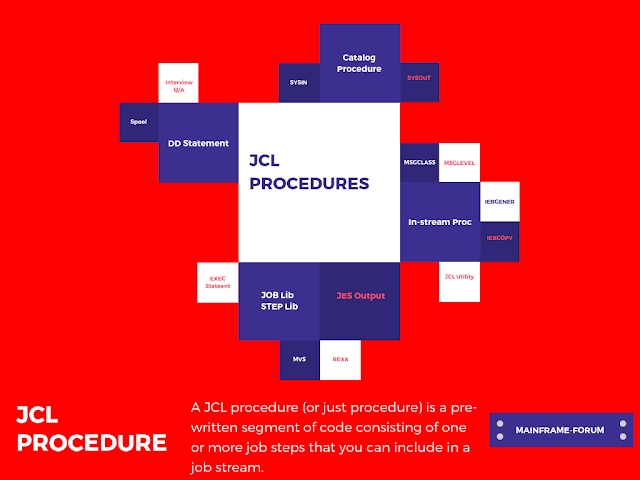
A JCL procedure (or just procedure in JCL) is a pre-written segment of code. JCL procedure consists of one or more job steps that you can include in a job stream (i.e. JCL). JCL procedures is divided into the following type:
  • Catalog Procedure in JCL.
  • Instream Procedure in JCL.
Now, let's discuss the advantage of procedure mainframe JCL's. 

Advantage of procedure in JCLs.

The major advantage of procedure in JCL's is code reusability and code maintainability. By using procedures, the amount of JCL coding you have to do is reduced, resulting in fewer coding errors and greater productivity. Although you can code a JCL procedure directly in a single job stream, you’re more likely to invoke cataloged procedures that are available throughout an installation.

The syntax for invoking a JCL procedure

EXEC [PROC=]procedure-name

Note: The procedure name Identifies the procedure to be called and executed. For cataloged procedures, it’s the member name of the procedure. For instream procedures, it’s the name on the PROC statement that begins the procedure.

For example: In the middle of the below code, you can see the JCL statements that make up a cataloged procedure named XMP3000. This procedure consists of two job steps that execute the programs XMP3000 and allocate seven different data sets.


//RC01TN JOB (99992),'MAINFRAME',NOTIFY=MMTX01
//STEP01 EXEC XMP3000
//

Let's discuss the different JCL procedure categories i.e. CATALOG PROCEDURE and INSTREAM PROCEDURE.

What is CATALOG Procedure?

A cataloged procedure in JCL is a series of JCL statements that are stored in a partitioned data set and may be invoked by any job on the system (i.e. z/OS system). Whenever you invoke a cataloged procedure, the system looks for it in the system procedure library, SYS1.PROCLIB, unless you specify the library.

Although the PROC statement can be coded as the first statement in a cataloged procedure, it’s not required.

Example: CATALOGED PROCEDURE in JCL. 


The cataloged JCL procedure named EMP3000 is invoked

//EMP3000 PROC
//EMP3010 EXEC PGM=EMP3000
//SYSOUT  DD SYSOUT=*
//EMPMAST DD DSNAME=RCA2.PAYROL.MAST.FILE,DISP=SHR
//EMPSEL  DD DSNAME=&&EMPSEL,DISP=(NEW,PASS,DELETE),
//           UNIT=SYSDA,SPACE=(CYL,(120,10))
//*
//SAL3030 EXEC PGM=SAL3030
//SYSOUT  DD SYSOUT=*
//INVMAST DD DSNAME=&&SALREP,DISP=(OLD,DELETE,DELETE)
//INVSLST DD SYSOUT=*

A mainframe job (i.e. JCL) that invokes a cataloged procedure in JCL.

//RC01TN JOB (99992),'MAINFRAME',NOTIFY=MMTX01
//STEP01 EXEC EMP3000
//

What is INSTREAM PROCEDURE?

An instream procedure consists of a PROC statement, any number of procedure steps, and a PEND statement. Then, you place the instream procedure near the beginning of your job stream, before any EXEC statement that refers to it. In contrast to a cataloged procedure, an instream procedure is available only to the job that contains it.

A name is always required on the PROC statement for an instream procedure. You can also specify a name on the PEND statement, but it’s optional.

JCL statements falling between the PROC and PEND statements are not executed when first encountered. Instead, they’re scanned for errors and retained as a temporary procedure.

Any JCL statements after the PEND statement are recognized as normal statements and are executed.

An instream procedure should be placed near the beginning of a job stream, before any EXEC statement that refers to it. The maximum number of instream procedures you can code in any job is 15.

Important Point: Before cataloging a procedure in a procedure library, it’s usually a good idea to test the JCL code it contains, and the easiest way to do that is with an instream procedure.

Example: INSTREAM PROCEDURE in JCL.


A job that instream data in JCL

//RC01TN JOB (99992),'MAINFRAME',NOTIFY=MMTX01
//TAX4000 PROC
//TAX3010 EXEC PGM=TAX3000
//SYSOUT  DD SYSOUT=*
//TAXMAST DD DSNAME=RCA2.TAX.DED.FILE,DISP=SHR
//TAXSAL  DD DSNAME=&&TAXDED,DISP=(NEW,PASS,DELETE),
//           UNIT=SYSDA,SPACE=(CYL,(120,10))
// PEND
//EMP3030 EXEC PGM=TAX4000
//*


Youtube: Catalog procedure in JCL and Instream procedure in JCL.

The JCL Procedure tutorial is associated with a youtube video for good understanding. Please do watch this video and consider subscribing to our channel for more such tutorial video!


SYMBOLIC PARAMETER in INSTREAM DATA.


To code a symbolic parameter in a procedure, you use a name that starts with an ampersand (&). The name can be any meaningful name you want as long as it isn’t a keyword parameter on an EXEC statement. For example, &TIME or &REGION would not be valid names because both are keyword parameters on an EXEC statement. But &SPACE and &CLASS are acceptable names.


You can use the same symbolic parameter in a procedure as many times as you like. For example, you can use a symbolic parameter called &CLASS as the value for the SYSOUT parameter in all of the SYSOUT DD statements in a procedure. That way, you can be sure that all SYSOUT data sets are processed using the same output class. If you need to assign different classes to the SYSOUT data sets, however, you have to use more than one symbolic parameter.


The syntax for assigning values to symbolic parameters in a procedure

//[name] EXEC [PROC=]procedure-name,symbolic-parameter=value

Note:- A one- to seven-character name that is referenced by the procedure. The name can’t be a keyword parameter used by the EXEC statement.


A procedure that uses symbolic parameters in JCL.


//EMP3000 PROC
//EMP3010 EXEC PGM=EMP3000
//SYSOUT  DD SYSOUT=*
//EMPMAST DD DSNAME=&HLQ..PAYROL.MAST.FILE,DISP=SHR
//EMPSEL  DD DSNAME=&&EMPSEL,DISP=(NEW,PASS,DELETE),
//           UNIT=SYSDA,SPACE=(CYL,(&SPACE))
//*
//SAL3030 EXEC PGM=SAL3030
//SYSOUT  DD SYSOUT=*
//INVMAST DD DSNAME=&&SALREP,DISP=(OLD,DELETE,DELETE)
//INVSLST DD SYSOUT=*

The invoking EXEC statement (jcl proc override examples)


//STEPA01 EXEC INV3000,CLASS=M,HLQ=RCA2,SPACE='10,10'

Rules for coding symbolic parameters in JCL statements

  1. You can use the same symbolic parameter in a procedure as many times as you wish.
  2. Symbolic parameters can be mixed with text to form a final parameter value.
  3. If you want text to appear immediately after a symbolic parameter, you must code a period (.) as a delimiter between the symbolic parameter name and the text that follows it.
  4. If you want a period to appear immediately after a symbolic parameter, you have to code two periods in a row. The first one acts as a delimiter marking the end of the symbolic parameter and the second one becomes part of the JCL statement.
  5. To nullify the value of a symbolic parameter, you code the symbolic parameter’s name followed by an equals sign without a value.

SET Parameter in JCL with example.


The SET statement is another way to assign values to symbolic parameters. In contrast to a PROC statement that assigns default values or a procedure-invoking EXEC statement that provides runtime values, the SET statement lets you set the values of symbolic parameters at any point or time within your JCL. Be aware, however, that SET values are overridden by any values that are assigned in subsequent PROC or EXEC statements in the job.


The syntax for the SET statement


//[name] SET symbolic-parameter=value[,symbolic-parameter=value]…


Note - The name of a symbolic parameter you want to assign a value to.


//EMP3000 PROC
//EMP3010 EXEC PGM=EMP3000
//SYSOUT  DD SYSOUT=*
//EMPMAST DD DSNAME=&HLQ..PAYROL.MAST.FILE,DISP=SHR
//EMPSEL  DD DSNAME=&&EMPSEL,DISP=(NEW,PASS,DELETE),
//           UNIT=SYSDA,SPACE=(CYL,(&SPACE))
//*
//SAL3030 EXEC PGM=SAL3030
//SYSOUT  DD SYSOUT=*
//INVMAST DD DSNAME=&&SALREP,DISP=(OLD,DELETE,DELETE)
//INVSLST DD SYSOUT=*

The invoking EXEC statement (jcl proc override examples)


//RC01TN JOB (99992),'MAINFRAME',NOTIFY=MMTX01
// SET SPACE='10,5'
// SET HLQ=RCA2
//STEPA01 EXEC INV3000

Youtube: JCL Symbolic Parameters | JCL SET Statement | JCL Procedures | JCL Symbolic Parameters Examples JCL.

The JCL Symbolic Parameter tutorial is associated with a youtube video for good understanding. Please do watch this video and consider subscribing to our channel for more such tutorial video!


Summary.

As you code JCL, you’ll discover that there are many job steps…and series of job steps…that are used over and over in an installation, often by different programmers. That’s why OS/390 provides for procedures that can be stored in libraries and made available to any programmer on the system. With this facility, you can usually code just a few JCL statements to execute procedures that contain dozens or even hundreds of JCL statements. In fact, IBM supplies complex procedures that let you interface easily with software products like compilers, CICS, and DB2, and you’ll use them all the time. In addition, in most shops, you’ll create and use procedures that are specific to your installation.


►Subscribe to Topictrick & Don't forget to press THE BELL ICON to never miss any updates. Also, Please visit mention the link below to stay connected with Topictrick and the Mainframe forum on - 

► Youtube
► Facebook 
► Reddit

Thank you for your support. 
Mainframe Forum™

Saturday, 20 July 2013

Nail CICS Command reference | CICS Commands cheat sheet [CICS Commands] - CICS Tutorial.

CICS command reference, CICS command cheat sheet

CICS Command Reference/CICS Commands.


Welcome back to today's CICS command reference. CICS command cheat sheet includes a list of all important commands. The following CICS commands include a brief description along with corresponding CICS-COBOL commands syntax. If you are using PL/1 then just substitute “;” for END-EXEC.

Note : [ ] indicate optional parameters,
           [ | ] indicates a choice of one of the options listed (or none),
           { | } indicates you must specify one of the options.


Abend
Force the current task to terminate abnormally

EXEC CICS 
     ABEND [ABCODE(name)] [CANCEL] [NODUMP] 
END-EXEC.

Address
Lets you access system information maintained in storage outside your program

EXEC CICS 
     ADDRESS [ACEE(pointer-ref)] [COMMAREA(pointer-
     ref)][CSA(pointer-ref)] [CWA(pointer-ref)] 
     [EIB(pointer-ref)] 
     [TCTUA(pointer-ref)] [TWA(pointer-ref)] 
END-EXEC.

Note: Be careful as any attempt to access/address the CSA in the Application Domain, as in EXEC CICS ADDRESS CSA(pointer ref) will cause an ASRD Abend.

Allocate
Establishes a distributed processing session with another system

EXEC CICS 
     ALLOCATE SYSID(name) [PROFILE(name)]  
     [NOQUEUE | NOSUSPEND] [STATE(data-area)] 
END-EXEC.

Asktime
Obtain the current time and date

EXEC CICS 
     ASKTIME [ABSTIME(data-area)] 
END-EXEC.

Assign
Obtain information from various system control areas

EXEC CICS 
     ASSIGN option(data-area) 
END-EXEC.

BIF DEEDIT
Formats alphanumeric data into numeric data
EXEC CICS 
   BIF DEEDIT FIELD(data-area) [LENGTH(data-value)] 
END-EXEC.

Build Attach
Creates an ATTACH FMH used to initiate a background transaction with LU6.1 or MRO

EXEC CICS 
  BUILD ATTACH ATTACHID(name) [PROCESS(name)] 
  [RESOURCE(name)] [RPROCESS(name)] 
  [RRESOURCE(name)] [QUEUE(name)] [IUTYPE(data-
  value)] [DATASTR(data-value)] [RECFM(data-value)] 
END-EXEC.

CANCEL
Cancels the effect of a DELAY, POST, or START command

EXEC CICS 
 CANCEL [REQID(name)] [TRANSID(name)] [SYSID(name)] 
END-EXEC.

Change Task
Changes the priority of the current task

EXEC CICS CHANGE TASK PRIORITY(data-value) END-EXEC.

Connect Process
Initiates an application program on a remote system once a session has been allocated

EXEC CICS 
  CONNECT PROCESS {CONV(name) | SESSION(name) }  
  PROCNAME(data-area) PROCLENGTH(data-area)  
  SYNCLEVEL(data-area) [PIPLIST(data-area)  
  PIPLENGTH(data-value)] [STATE(data-area)] 
END-EXEC.

Converse
Send data to a remote process and receive a response

EXEC CICS 
CONVERSE [CONVID(name) | SESSION(name)] [ATTACHID(name)] FROM(data-area) { FROMLENGTH(data-area) | FROMFLENGTH(data-area) } { INTO(data-area) | SET(pointer-ref) } {TOLENGTH(data-area) | TOFLENGTH(data-area) } [MAXLENGTH(data-value) | MAXFLENGTH(data-value)] [NOTRUNCATE] [STATE(data-area)] 
END-EXEC.

Delay
Suspend a task

EXEC CICS 
DELAY [INTERVAL(hhmmss) | TIME(hhmmss) | FOR [HOURS(hh)] [MINUTES(mm)] [SECONDS(ss)] | UNTIL [HOURS(hh)] [MINUTES(mm)] [SECONDS(ss)]] [REQID(name)] 
END-EXEC.

Delete
Remove a record from a file

EXEC CICS 
DELETE { DATASET(name) | FILE(name) } [RIDFLD(data-area) [KEYLENGTH(data-value) [GENERIC [NUMREC(data-area)]]]] [RBA | RRN] [SYSID(name)] 
END-EXEC.

Deleteq Td
Remove a record from a transient data queue

EXEC CICS DELETEQ TD QUEUE(name) [SYSID(name)] 
END-EXEC.

Deleteq Ts
Remove a record from a temporary storage queue

EXEC CICS 
     DELETEQ TS QUEUE(name) [SYSID(name)] 
END-EXEC.

Deq
Release a user defined resource

EXEC CICS 
   DEQ RESOURCE(data-area) [LENGTH(data-value)] 
   [LUW | TASK | MAXLIFETIME(data-area)] 
END-EXEC.

Dump
Force a storage dump

EXEC CICS 
DUMP [TRANSACTION] DUMPCODE(name) [FROM(data-area) [LENGTH(data-value) | FLENGTH(data-value)]] [SEGMENTLIST(data-area) LENGTHLIST(data-area) NUMSEGMENTS(data-area)] [COMPLETE] [TRT] [TASK] [STORAGE] [PROGRAM] [TERMINAL] [TABLES] [DCT] [FCT] [PCT] [PPT] [SIT] [TCT] 
END-EXEC.

EndBr
Terminate a browse operation

EXEC CICS 
ENDBR { DATASET(name) | FILE(name) } REQID(data-value) [SYSID(name)] 
END-EXEC.

Enq
Reserve a user defined resource

EXEC CICS 
ENQ RESOURCE(data-area) [LENGTH(data-value)] [NOSUSPEND] [LUW | TASK | MAXLIFETIME(data-area)] 
END-EXEC.

Enter
Write a user trace entry into the CICS trace table

EXEC CICS 
ENTER {TRACENUM(data-value) | TRACEID(data-value) } [FROM(data-area) [FROMLENGTH(data-area)]] [RESOURE(data-area)] [EXCEPTION] 
END-EXEC.

Extract Attach
Retrieve values from an ATTACH FMH

EXEC CICS 
EXTRACT ATTACH [ATTACHID(name) | CONVID(name) | SESSION(name)] [PROCESS(name)] [RESOURCE(name)] [RPROCESS(name)] [RRESOURCE(name)] [QUEUE(name)] [IUTYPE(data-value)] [DATASTR(data-value)] [RECFM(data-value)] 
END-EXEC.

Extract Attributes
Determine the current state of an MRO or APPC conversation

EXEC CICS EXTRACT ATTRIBUTES [CONVID(name) | SESSION(name)] [STATE(data-value)] 
END-EXEC.

Extract Process
Used in a back end program to obtain information passed via the CONNECT PROCESS command in the front end program

EXEC CICS 
EXTRACT PROCESS [CONVID(name) | SESSION(name)] [PROCNAME(data-value)PROCLENGTH(data-area) [MAXPROCLEN(data-value)]] [SYNCLEVEL(data-area)] [PIPLIST(data-area) PIPLENGTH(data-value)] 
END-EXEC.

Formattime
Convert time to required format

EXEC CICS 
FORMATTIME ABSTIME(data-value) [YYDDD(data-area)] [YYMMDD(data-area)] [YYDDMM(data-area)] [DDMMYY(data-area)] [MMDDYY(data-area)] [DATE(data-area) [DATEFORM(data-area)]] [DATESEP[(data-value)]] [DAYCOUNT(data-area)] [DAYOFWEEK(data-area)] [DAYOFMONTH(data-area)] [MONTHOFYEAR(data-area)] [YEAR(data-area)] [TIME(data-area) [TIMESEP[(data-value)]]] 
END-EXEC.

Free
Release a distributed processing session

EXEC CICS FREE [CONVID(name) | SESSION(name)] [STATE(data-area)] 
END-EXEC.

Freemain
Release virtual storage

EXEC CICS FREEMAIN { DATA(data-area) | DATAPOINTER(pointer-ref) } 
END-EXEC.

Getmain
Aquire virtual storage

EXEC CICS GETMAIN SET(pointer-ref) { LENGTH(data-value) | FLENGTH(data-value) [BELOW] } [INITIMG(data-value)] [NOSUSPEND] [SHARED] {USERKEY | CICSKEY] 
END-EXEC.

Handle AbendE
Establish abend exits

EXEC CICS HANDLE ABEND { PROGRAM(name) | LABEL(label) | CANCEL | RESET } 
END-EXEC.

Handle Aid
Establish routines to be invoked when AID keys (enter, pf and pa keys) are detected by a receive map

EXEC CICS HANDLE AID option [(label)] 
END-EXEC.

Handle Condition
Specifies how certain exception conditions should be processed

EXEC CICS 
HANDLE CONDITION condition-name [(label)] 
END-EXEC.

Ignore Condition
Specifies that certain exception conditions should be ignored

EXEC CICS IGNORE CONDITION condition-name ... 
END-EXEC.

Link
Invoke a program, return to the next statement after completion
EXEC CICS 
LINK PROGRAM(name) [COMMAREA(data-area) [LENGTH(data-value)] [DATALENGTH(data-value)]] [INPUTMSG(data-area) [INPUTMSGLEN(data-value)]] [SYSID(name)] [SYNCONRETURN] [TRANSID(name)] 
END-EXEC.

Load
Retrieve and load an object module and return its length and address

EXEC CICS 
LOAD PROGRAM(name) [SET(pointer-ref)] [LENGTH(data-area) | FLENGTH(data-area)] [ENTRY(pointer-ref)] [HOLD] 
END-EXEC.

Pop Handle
Restores handle abend, aid, and conditions temporarily suspended by push handle
EXEC CICS POP HANDLE END-EXEC.

Post
Create a Timer Event Control Area

EXEC CICS 
POST [INTERVAL(hhmmss) | TIME(hhmmss) | AFTER [HOURS(hh)] [MINUTES(mm)] [SECONDS(ss)] | AT [HOURS(hh)] [MINUTES(mm)] [SECONDS(ss)]] SET(pointer-ref) [REQID(name)] 
END-EXEC.

Purge Message
delete a logical message before the task terminates

EXEC CICS PURGE MESSAGE END-EXEC.

Push Handle
Temporarily suspend handle abend, aid, and conditions
EXEC CICS PUSH HANDLE END-EXEC.

Read
Read a record from a file

EXEC CICS READ { DATASET(name) | FILE(name) } { INTO(data-area) | SET(pointer-ref) } [LENGTH(data-area)] RIDFLD(data-area) [KEYLENGTH(data-area) [GENERIC]] [SYSID(name)] [RBA | RRN] [GTEQ | EQUAL] [UPDATE] 
END-EXEC.

ReadNext
Read the next sequential record from a file

EXEC CICS READNEXT { DATASET(name) | FILE(name) } { INTO(data-area) | SET(pointer-ref) } [LENGTH(data-area)] RIDFLD(data-area) [KEYLENGTH(data-area)] [SYSID(name)] [RBA | RRN] [REQID(data-value)] 
END-EXEC.

ReadPrev

read the previous sequential record from a file
EXEC CICS 
READPREV { DATASET(name) | FILE(name) } { INTO(data-area) | SET(pointer-ref) } [LENGTH(data-area)] RIDFLD(data-area) [KEYLENGTH(data-area)] [SYSID(name)] [RBA | RRN] [REQID(data-value)] 
END-EXEC.

Readq Td
Read a record from a transient data queue

EXEC CICS READQ TD QUEUE(name) { INTO(data-area) | SET(pointer-ref) } [LENGTH(data-area)] [SYSID(name)] [NOSUSPEND] 
END-EXEC.

Readq Ts
Read a record from a temporary storage queue

EXEC CICS READQ TS QUEUE(name) { INTO(data-area) | SET(pointer-ref) } [LENGTH(data-area)] [NUMITEMS(data-area)] [ITEM(data-value) | NEXT] [SYSID(name)] 
END-EXEC.

Receive (distributed)
Receive data sent by a remote process

EXEC CICS 
RECEIVE [CONVID(name) | SESSION(name)] { INTO(data-area) | SET(pointer-ref) } { LENGTH(data-area) | FLENGTH(data-area) } [MAXLENGTH(data-value) | MAXFLENGTH(data-value)] [NOTRUNCATE] [STATE(data-area)] 
END-EXEC.

Receive (terminal)
Retrieve input data from a terminal

EXEC CICS RECEIVE { INTO(data-area) | SET(pointer-ref) } { LENGTH(data-area) | FLENGTH(data-area) } [MAXLENGTH(data-value) | MAXFLENGTH(data-value)] [NOTRUNCATE] [ASIS] [BUFFER] 
END-EXEC.

Receive Map
Receive data from a terminal via BMS

EXEC CICS RECEIVE MAP(name) [MAPSET(name)] [INTO(data-area) | SET(pointer-ref)] [ASIS] 
END-EXEC.

Release
Free virtual storage acquired via a load command

EXEC CICS RELEASE PROGRAM(name) END-EXEC.

ResetBr
Re-establish position for a browse EXEC CICS RESETBR { DATASET(name) | FILE(name) } RIDFLD(data-area) [KEYLENGTH(data-value) [GENERIC]] [RBA | RRN] [GTEQ | EQUAL] [REQID(data-value)] [SYSID(name)] END-EXEC.

Retrieve
Retrieves data passed to another program via the start command

EXEC CICS RETRIEVE [INTO(data-area) | SET(pointer-ref)] [LENGTH(data-area)] [RTRANSID(data-area)] [RTERMID(data-area)] [QUEUE(data-area)] [WAIT] 
END-EXEC.

Return
Return to the invoking program

EXEC CICS RETURN [TRANSID(name) [COMMAREA(data-area) LENGTH(data-value)]] [IMMEDIATE]] [INPUTMSG(data-area) [INPUTMSGLEN(data-value)]] END-EXEC.

Rewrite
Updates a record in a file

EXEC CICS REWRITE { DATASET(name) | FILE(name) } FROM(data-area) [LENGTH(data-area)] [SYSID(name)] 
END-EXEC.

Route
Allows BMS messages to be routed to multiple terminals

EXEC CICS ROUTE [LIST(data-area)] [OPCLASS(data-area)] [INTERVAL(hhmmss) | AFTER [HOURS(hh)] [MINUTES(mm)] [SECONDS(ss)] | AT [HOURS(hh)] [MINUTES(mm)] [SECONDS(ss)]] [ERRTERM{(name)]] [TITLE(data-area)] [REQID(name)] [NLEOM] 
END-EXEC.

Send (distributed)
Send data to a remote process

EXEC CICS SEND [CONVID(name) | SESSION(name)] [ATTACHID(name)] [FROM(data-area) [LENGTH(data-area) | FLENGTH(data-area)]] [INVITE | LAST] [CONFIRM | WAIT] [STATE(data-area)] 
END-EXEC.

Send (terminal)
Send data to a terminal

EXEC CICS 

SEND FROM(data-area) [LENGTH(data-area) | FLENGTH(data-area)] [DEST(name)] [WAIT] [INVITE | LAST] [DEFRESP] [STRFIELD] [ERASE] [CTLCHAR(data-area)] 
END-EXEC.

Send Control
Send device control instructions to a terminal

EXEC CICS 
SEND CONTROL [ERASEAUP | ERASE] [ALARM] [FREEKB] [FRSET] [CURSOR(data-value)] [PRINT] [FORMFEED] [ACCUM] [PAGING | TERMINAL [WAIT] [LAST]] [L40 | L64 | L80 | HONEOM] [REQID(name)] END-EXEC.

Send Map
Send data to a terminal via BMS

EXEC CICS SEND MAP(name) [MAPSET(name)] [FROM(data-area)] [LENGTH(data-value)] [DATAONLY | MAPONLY] [ERASEAUP | ERASE] [ALARM] [FREEKB] [FRSET] [CURSOR(data-value)] [PRINT] [FORMFEED] [NLEOM] [ACCUM] [PAGING | TERMINAL [WAIT]] [LAST] [L40 | L64 | L80 | HONEOM] [REQID(name)] 
END-EXEC.

Send Page

write the last page of a BMS message to temporary storage

EXEC CICS SEND PAGE [RELEASE [TRANSID(name)] | RETAIN] [AUTOPAGE | NOAUTOPAGE] [OPERPURGE] [TRAILER(data-area)] 
END-EXEC.

Send Text
Send data to a terminal letting BMS automatically format the data

EXEC CICS 
SEND TEXT FROM(data-area) [LENGTH(data-value)] [ERASE] [ALARM] [FREEKB] [CURSOR(data-value)] [PRINT] [FORMFEED] [NLEOM] [ACCUM] [PAGING | TERMINAL [WAIT]] [LAST] [HEADER(data-area)] [TRAILER(data-area)] [JUSTIFY(datavalue) | JUSFIRST | JUSLAST] [L40 | L64 | L80 | HONEOM] [REQID(name)] END-EXEC.

Send Text Noedit
Send data to a terminal similar to terminal control but can direct to temporary storage using paging option 

EXEC CICS 
SEND TEXT NOEDIT FROM(data-area) [LENGTH(data-value)] [ERASE] [ALARM] [FREEKB] [PRINT] [PAGING | TERMINAL [WAIT] [LAST]] [L40 | L64 | L80 | HONEOM] [REQID(name)] 
END-EXEC.

Signoff
Signs the user off CICS

EXEC CICS
 SIGNOFF 
END-EXEC.

Signon
Signs the user on to CICS 

EXEC CICS 
SIGNON USERID(datavalue) [PASSWORD(data-value)] [NEWPASSWORD(data-value)] [OIDCARD(data-value)] [NATLANG(data-value)] [natlanginuse(data-area)] [ESMRESP(data-area)] 
END-EXEC.

Start
Initiate another task after or at a specified time

EXEC CICS 
START TRANSID(name) [INTERVAL(hhmmss) | TIME(hhmmss) | AFTER [HOURS(hh)] [MINUTES(mm)] [SECONDS(ss)] | AT [HOURS(hh)] [MINUTES(mm)] [SECONDS(ss)]] [TERMID(name)] [SYSID(name)] [REQID(name)] [FROM(data-area) [LENGTH(data-value)]] [RTRANSID(name)] [RTERMID(name)] [QUEUE(name)] [NOCHECK] [PROTECT] 
END-EXEC.

StartBr
Initiate a browse

EXEC CICS 
STARTBR { DATASET(name) | FILE(name) } RIDFLD(data-area) [KEYLENGTH(data-area) [GENERIC]] [SYSID(name)] [RBA | RRN] [GTEQ | EQUAL] [REQID(data-value)] 
END-EXEC.

Suspend
Temporarily return control to CICS

EXEC CICS 
SUSPEND 
END-EXEC.

SyncpointR
Rollback or make permanent updates applied to protected resources

EXEC CICS 
SYNCPOINT [ROLLBACK] 
END-EXEC.

Unlock
Release a record held by a READ UPDATE command.

EXEC CICS 
UNLOCK { DATASET(name) | FILE(name) } [SYSID(name)] END-EXEC.

Wait Convid
Suspend task until accumulated data has been transmitted during an APPC conversation

EXEC CICS 
WAIT CONVID(name) [STATE(data-area)] 
END-EXEC.

Wait Event
Delay the task until a previously issued POST has expired

EXEC CICS 
WAIT EVENT ECADDR(pointer-value) 
END-EXEC.

Wait Journalnum
Synchronizes the current task with a previously written journal entry by suspending the task until the record has been successfully written to the journal file

EXEC CICS 
WAIT JOURNALNUM(data-value) [REQID(data-value)] [STARTIO] 
END-EXEC.

Write
Write a record to a file

EXEC CICS 
WRITE { DATASET(name) | FILE(name) } FROM(data-area) [LENGTH(data-area)] RIDFLD(data-area) [KEYLENGTH(data-area)] [SYSID(name)] [RBA | RRN] [MASSINSERT] 
END-EXEC.

Write Journalnum
Write a record to the journal file

EXEC CICS 
WRITE JOURNALNUM(data-value) JTYPEID(data-value) FROM(data-area) [LENGTH(data-area)] [PREFIX(data-value) [PFXLENG(data-value)]] [REQID(data-area)] [WAIT] [STARTIO] [NOSUSPEND] 
END-EXEC.

Write Operator
Write a message to a system console

EXEC CICS WRITE OPERATOR TEXT(data-value) [TEXTLENGTH(data-value)] [ROUTECODES(data-value) [NUMROUTES)data-value)]] [ACTION(data-value) | EVENTUAL | IMMEDIATE | CRITICAL | REPLY(data-area) MAXLENGTH(data-value) [REPLYLENGTH(data-area)] [TIMEOUT(data-value)]] 
END-EXEC.

WRITEQ TD
Write a record to a transient data queue

  EXEC CICS WRITEQ TD QUEUE(name) FROM(data-area) [LENGTH(data-area)] [SYSID(name)] 
END-EXEC.

WRITEQ TS
Write a record to a temporary storage queue

EXEC CICS WRITEQ TS QUEUE(name) FROM(data-area) [LENGTH(data-area)] [ITEM(data-value) [REWRITE]] [NUMITEMS(data-area)] [SYSID(name)] [MAIN | AUXILIARY] [NOSUSPEND] 
END-EXEC.

XCTL
Terminate the current program and execute the one specified

EXEC CICS 
XCTL PROGRAM(name) [COMMAREA(data-area) [LENGTH(data-value)]] [INPUTMSG(data-area) [INPUTMSGLEN(data-value)]] 
END-EXEC.


Conclusion. 

Finally, this marks an end to today's CICS commands cheat sheet. This tutorial list all important CICS commands used by programmers. CICS Command reference is a stop for all your queries. 


►Subscribe to Topictrick & Don't forget to press THE BELL ICON to never miss any updates. Also, Please visit mention the link below to stay connected with Topictrick and the Mainframe forum on - 

► Youtube
► Facebook 
► Reddit

Thank you for your support. 
Mainframe Forum™


New In-feed ads